Serverless VMs in microsrv: scale-from-zero on network traffic
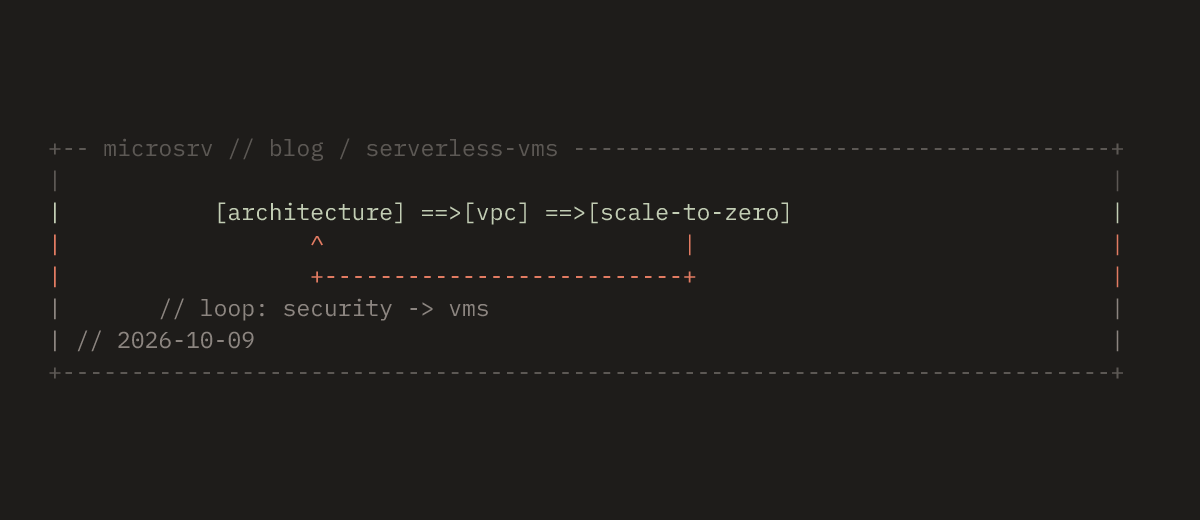
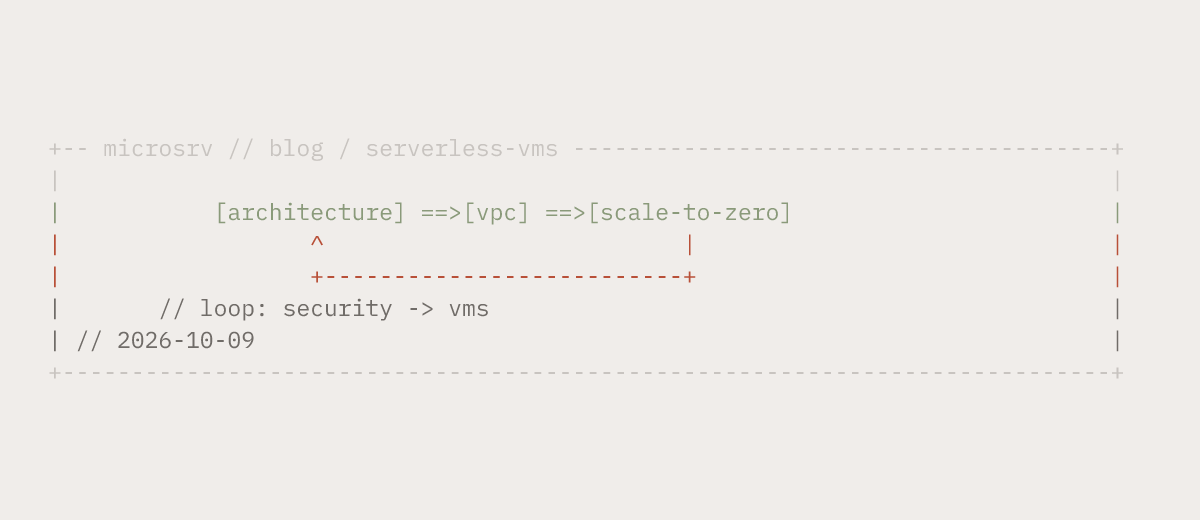
A regular microsrv VM always runs. It gets vCPUs and RAM until you stop it yourself. Serverless mode changes that. At creation time you can enable a mode where the VM sleeps with no traffic and wakes on the first incoming packet. It works for any traffic. HTTP, SSH, ICMP, internal VPC, or WireGuard.
In short: the first packet from any client, even one from inside your own VPC, wakes the VM in 100 to 250 milliseconds, and nothing is lost along the way: the packet is stashed in the network and replayed after the wake, so the reply lands on the first packet itself. Processes, memory and open sockets live in the checkpoint the VM wrote before going to sleep. Storage is replicated across nodes. Sleep is not data loss.
1. What “serverless” means for a virtual machine
Classic serverless means functions and containers that start on demand. That works while the request comes through an HTTP gateway. A full virtual machine needs more. It has SSH, internal services, traffic between VMs in the VPC, and outbound requests.
In microsrv, serverless works at the network traffic level, not HTTP:
- Inbound traffic, any kind: HTTP, SSH, ICMP, UDP, TCP on any port. The first packet that hits the VM IP triggers the wake.
- Outbound traffic counts too. The VM sleeps when there is no inbound and no outbound traffic for longer than the configured timeout.
- The client can be anything. External over WireGuard, another service in the same VPC, or your own monitoring.
This is a virtual machine with a stable network identity. Same private IP, same <vm>.msrv.space domain. It simply spends no compute while nobody touches it.
2. Typical use cases
A database that starts on demand
A VM with PostgreSQL or MySQL sleeps while the application has not talked to it for longer than the timeout. A connection over the regular private IP, or the <db>.msrv.space domain, wakes the machine by itself. Data is not lost. The database state lives on a replicated volume. The first request after sleep takes a few hundred milliseconds, after which it is normal speed.
One detail for the application. TCP has no instant first reply when the packet went to a sleeping machine. The client retransmits on its own, per the standard. So the connect timeout in a connection pool should be larger than 1 to 2 seconds.
Cache: Redis / memcached
A VM with a cache sleeps when there is no get/set at all and wakes on the first client request. The key difference from a cold empty start is the checkpoint. It restores the entire cache contents. The machine wakes up with exactly the memory state it was stopped in. That fits caches with a bounded working set and services with uneven load. If data must be served instantly at any moment, keep the cache active.
Message broker: RabbitMQ / NATS / Kafka
A VM with a broker starts on demand from a producer or consumer. The first publish or subscribe wakes the machine, and the message is delivered a few hundred milliseconds later. You cannot lose a message. The queue lives on disk, and the client retransmits on its own until the broker is up. If a consumer polls the queue continuously, set max_awake_seconds so the broker does not stay awake forever.
3. How wake-up works: network, compute, storage
Three layers work together. Network catches the incoming packets. Compute brings the machine up, and storage hands it its memory.
Network layer: interception and event
The microsrv network layer runs in the kernel and sees every packet that arrives at the VM private IP. While the VM is sleeping, each packet goes through the same path:
- The packet is intercepted before it reaches the guest system.
- If the VM is sleeping, the packet is not delivered immediately. It is intercepted by the network, stashed, and replayed after the wake. The client never sees an RST.
- At the same time, a wake event goes to the orchestrator. Lockless queue, no locks.
- While the VM is not awake, subsequent client packets are handled the same way. Not delivered, but they do not trigger extra wake-ups. One packet does not cause ten identical events.
The client does not get an RST and does not fail. Its TCP stack retransmits on its own, standard RFC 793 backoff, and the second packet already lands on the awake machine.
Compute layer: orchestrator and VM
The orchestrator, which is the shard leader, receives the event and does three things. It identifies the owner of the packet, which VM this IP belongs to, from the packet tag without scanning. The restore then starts from the checkpoint, so the hypervisor process is created and the guest system comes up with its processes intact. Finally the network is handed back. After that, packets flow to the machine in normal mode, without a proxy and without buffering.
The restore is on demand, lazy. The kernel and processes come up first, and RAM is paged in as it is used. Only the pages the guest actually reads. So awake does not mean fully loaded. By measurement, the full path from event to machine accepting packets takes about 150 ms.
Storage layer: checkpoint and replication
- Sleep: when there is no traffic longer than
idle_timeout_seconds, the VM makes a checkpoint. It dumps memory and state to a replicated volume, role=checkpoint, stops the hypervisor, and frees vCPU/RAM. - Wake-up: the orchestrator brings up the Primary volume and restores memory and state from it.
- Reliability: the volume is replicated across several nodes. If the node with the Primary dies, a surviving node brings up its replica and restores the machine without data loss.
4. Detailed diagram: from first packet to reply
The full path of one incoming request while the machine is sleeping. The request passes through three layers: network, compute, storage.
 Client (wg peer, 10.42.0.2)
 │
 ▼  packet → 10.42.0.3 (machine is sleeping)
┌───────────────────────────────────────────────────────────────────────────────────────────────┐
│  NETWORK (kernel, VPC overlay)                                                                │
│  t=0   state: 10.42.0.3 → DORMANT                                                             │
│  t=0   intercept: packet → stashed, wake → lockless queue                                     │
│  t=0   "wake" event → orchestrator lockless queue                                             │
│  t=200+ further client packets: normal mode, RTT 10–18 ms, 0% loss                            │
│  t≈130 reply to first packet ≈ 136 ms (wake time); machine is now awake                       │
└───────────────────────────────────────────────────────────────────────────────────────────────┘
        │ wake event (lockless)
        ▼
┌──────────────────────────────────────────────────────────────────────────────────────────────┐
│  COMPUTE (orchestrator + VM)                                                                 │
│  t≈0   resolve owner (by tag, O(1)); single-flight: one restore per target                   │
│  t≈100 decision committed → restore from checkpoint (lazy RAM: only needed pages)            │
│  t≈150 guest OS up; vCPUs resumed; address announced; state → ACTIVE                         │
└──────────────────────────────────────────────────────────────────────────────────────────────┘
        │ snapshot path (idle) / primary path (wake)
        ▼
┌───────────────────────────────────────────────────────────────────────────────────────────────┐
│  STORAGE (replicated volume)                                                                  │
│  wake:   Primary volume → mount → map memory-ranges → lazy restore                            │
│  idle:  idle_timeout → snapshot → write RAM → free resources → DORMANT                        │
│  Replication: Primary + replica; survives node failure                                        │
└───────────────────────────────────────────────────────────────────────────────────────────────┘
The network does not wait. The packet is intercepted instantly, and the event goes to the lockless queue before anything else is set up. Compute does not duplicate work, because single-flight means 100 clients arriving at once trigger only one restore. Storage does not block either. The Primary volume comes up in parallel with the memory restore, so the wake path does not wait on the disk. The client never fails: the first packet is stashed in the network and replayed after the wake, and without stashing the client would simply retransmit on its own per RFC 793.
5. Measurements: how wake-up actually takes
Example 1: ping with short intervals
An Ubuntu VM, serverless mode enabled, VPC 10.42.0.0/24, client wg peer 10.42.0.2, machine 10.42.0.3. I took the measurements from the wg peer: the first packet is buffered in the network and replayed after the wake, so the reply arrives on that first packet, without waiting for the client retransmission.
$ ping -c 10 -i 0.2 10.42.0.3
PING 10.42.0.3 (10.42.0.3) 56(84) bytes of data.
64 bytes from 10.42.0.3: icmp_seq=1 ttl=64 time=136 ms
64 bytes from 10.42.0.3: icmp_seq=2 ttl=64 time=15.7 ms
64 bytes from 10.42.0.3: icmp_seq=3 ttl=64 time=13.8 ms
64 bytes from 10.42.0.3: icmp_seq=4 ttl=64 time=14.6 ms
64 bytes from 10.42.0.3: icmp_seq=5 ttl=64 time=13.8 ms
64 bytes from 10.42.0.3: icmp_seq=6 ttl=64 time=12.9 ms
64 bytes from 10.42.0.3: icmp_seq=7 ttl=64 time=10.6 ms
64 bytes from 10.42.0.3: icmp_seq=8 ttl=64 time=17.5 ms
64 bytes from 10.42.0.3: icmp_seq=9 ttl=64 time=14.5 ms
64 bytes from 10.42.0.3: icmp_seq=10 ttl=64 time=12.2 ms

--- 10.42.0.3 ping statistics ---
10 packets transmitted, 10 received, 0% packet loss, time 1807ms
rtt min/avg/max/mdev = 10.575/26.199/136.400/36.777 ms, pipe 3
All 10 packets got a reply. Zero loss. The first packet arrived while the machine was sleeping. Its reply came later, after 136 ms. That is the wake time. The second packet, 200 ms later, already hit an awake machine. 15.7 ms. From then on, normal mode, 10 to 18 ms.
So scale-from-zero took about 130 ms. The reply came on the very first packet, not on the client retransmission.
Example 2: Nginx on the same machine
$ time curl -I 10.42.0.3
HTTP/1.1 200 OK
Server: nginx/1.24.0 (Ubuntu)
Date: Fri, 09 Oct 2026 11:44:51 GMT
Content-Type: text/html
Content-Length: 615
Last-Modified: Wed, 07 Oct 2026 19:20:26 GMT
Connection: keep-alive
ETag: "6ac69b7a-267"
Accept-Ranges: bytes

Executed in  232.40 ms    fish           external
   usr time    3.61 ms  188.00 micros    3.42 ms
   sys time    0.06 ms   58.00 micros    0.00 millis
The full cycle from first packet to Nginx reply took about 230 ms, and the reason is simple: the guest service had to come up before the request could be answered. Nginx came up as a service, opening its socket and taking the request. Memory paged in on demand as lazy restore only loads the needed pages. Ping, on the other hand, is the guest kernel echo, so once the kernel is awake the reply lands in about 130 ms. For a real HTTP service, about 230 ms. For ping, about 130 ms.
For comparison, without buffering the first packet the client retransmits, and the reply comes only with the second packet: about 380 ms for Nginx and 200 ms for ping. Buffering wins about 100 to 150 ms.
Why not instant? The first packet arrived while the machine was sleeping. It is not lost but buffered and delivered after the wake. The first-reply delay is restore time plus service startup. Nothing more.
Example 3: psql on the database VM
The database VM is sleeping. I connect to its private IP with psql:
$ time psql -h 10.42.0.2 \
  -U postgres -c 'EXPLAIN (ANALYZE) SELECT relname,
  pg_size_pretty(pg_total_relation_size(oid)) FROM pg_class
  ORDER BY pg_total_relation_size(oid) DESC LIMIT 10;'
 ... (query plan)
 Planning Time: 5.556 ms
 Execution Time: 127.421 ms
(8 rows)

Executed in  562.82 ms
The client sees 562.82 ms. The query itself ran in 127.4 ms, planning took 5.5 ms. The rest is the wake-up. So a first call to a sleeping database costs wake-up plus a normal query, and the number the client sees is the honest price of that first call.
6. How the machine sleeps (scale-to-zero)
When there is no traffic longer than idle_timeout_seconds:
- Network notices.
last_packet_nshas not been updated for longer than the timeout. - Orchestrator moves the machine to the quiescing state.
- VM makes a checkpoint. Dumps memory and state.
- Hypervisor stops. vCPU and RAM are freed.
- Network moves the IP to the DORMANT state.
Sleep accounts for all traffic, inbound and outbound. If the machine sends packets itself, for example telemetry, the timer resets and it does not sleep. There is a hard cap, max_awake_seconds. Maximum continuous runtime. Even with active outbound traffic, the machine is forced to sleep if it has run longer than the limit. That closes the blind spot of quiet outbound traffic, which would otherwise keep it awake.
7. What you get in practice
- Compute savings. The VM pays no vCPU/RAM while there is no traffic. For rarely accessed services this is 90 to 99 percent savings on compute.
- Fast response. About 100 to 250 ms is faster than a user notices. For most services this is instant.
- No state loss. Processes, memory and open sockets are kept in the checkpoint. After wake-up the machine remembers what it was doing.
- Reliability. Storage is replicated. A node can die, and the machine will be restored on a surviving node.
- Simplicity. You do not need to write reconnection logic in the application. The client just sends a packet, and the machine wakes up.
8. Limitations and gotchas
- The first request is slower. About 100 to 250 ms is the price of sleep. If you need zero latency, keep the machine active. Disable serverless.
- Outbound traffic. By default the VM sleeps when there is no traffic longer than the timeout. Quiet outbound traffic, like telemetry, is the trap. Set
max_awake_seconds, a hard cap on continuous runtime after which the machine sleeps regardless of traffic. - Not for every service. If a service must be available 24/7 without delays, serverless is not a fit. For such cases, a regular VM without serverless.
- The checkpoint takes space. RAM plus 128 MB on the volume. For large machines this is a noticeable amount.
9. How to enable
When creating a virtual machine, specify:
{
  "serverless": {
    "enabled": true,
    "mode": "checkpoint",
    "idle_timeout_seconds": 60,
    "trigger_ports": [],
    "max_awake_seconds": 0
  }
}
mode: "checkpoint". Restore from a checkpoint. Faster than a cold start.idle_timeout_seconds: 60. Sleep after 60 seconds without traffic.trigger_ports: []. Any port. Empty list means any traffic.max_awake_seconds: 0. No hard cap. Zero means disabled.
Sources and what to read next
- RFC 793 — TCP (retransmission standard, backoff).
- eBPF — What is eBPF? (packet interception in the kernel).
- KVM/QEMU — live migration documentation (restore from a checkpoint).
- Related articles: eBPF network (packet interception), live migration (RAM transfer), replicated storage (storage reliability), spot VMs (compute savings).
How we tested: Ubuntu VM, serverless mode, VPC
10.42.0.0/24, client wg peer10.42.0.2, machine10.42.0.3. Measurements:ping -c 10 -i 0.2(first reply on the 1st packet, about 136 ms, 0% loss),time curl -I(full cycle about 230 ms), andtime psql(first query to a sleeping DB ~563 ms, command itself ~127 ms). Verified on a 3-node cluster with replicated storage.
FAQ
Why does the sleeping VM answer late and not send RST? Because an RST is an error for the client. While the VM is asleep the network intercepts its packets: the first one is stashed and replayed after the wake, and if the client retried on its own, per RFC 793, the second packet would land on the awake machine.
Can the machine sleep if there are active connections?
Yes, if there has been no traffic for longer than idle_timeout_seconds. Active connections are terminated, the machine sleeps, and the next request wakes it up in about 100 to 250 ms. If you need a hard limit on continuous runtime, set max_awake_seconds.
What happens to open TCP connections when the machine sleeps? They are terminated. Packets to a sleeping machine are not delivered, the client reconnects, and the new request already wakes the machine.
Do you need a domain for it to work?
No. The machine works over its private IP in the VPC. The <vm>.msrv.space domain is for publishing outward, the HTTPS gateway.
Run serverless VMs, containers, and databases
microsrv offers instant VM & container startup, fast NVMe databases, and included VPC with access gateways for maximum developer convenience.